AI-powered design
Describe a research goal in natural language. AI helps plan steps, discover tools, and create an editable workflow.
Compose analyses visually, let AI assist with tool discovery and workflow design, then run every step reliably in isolated containers.
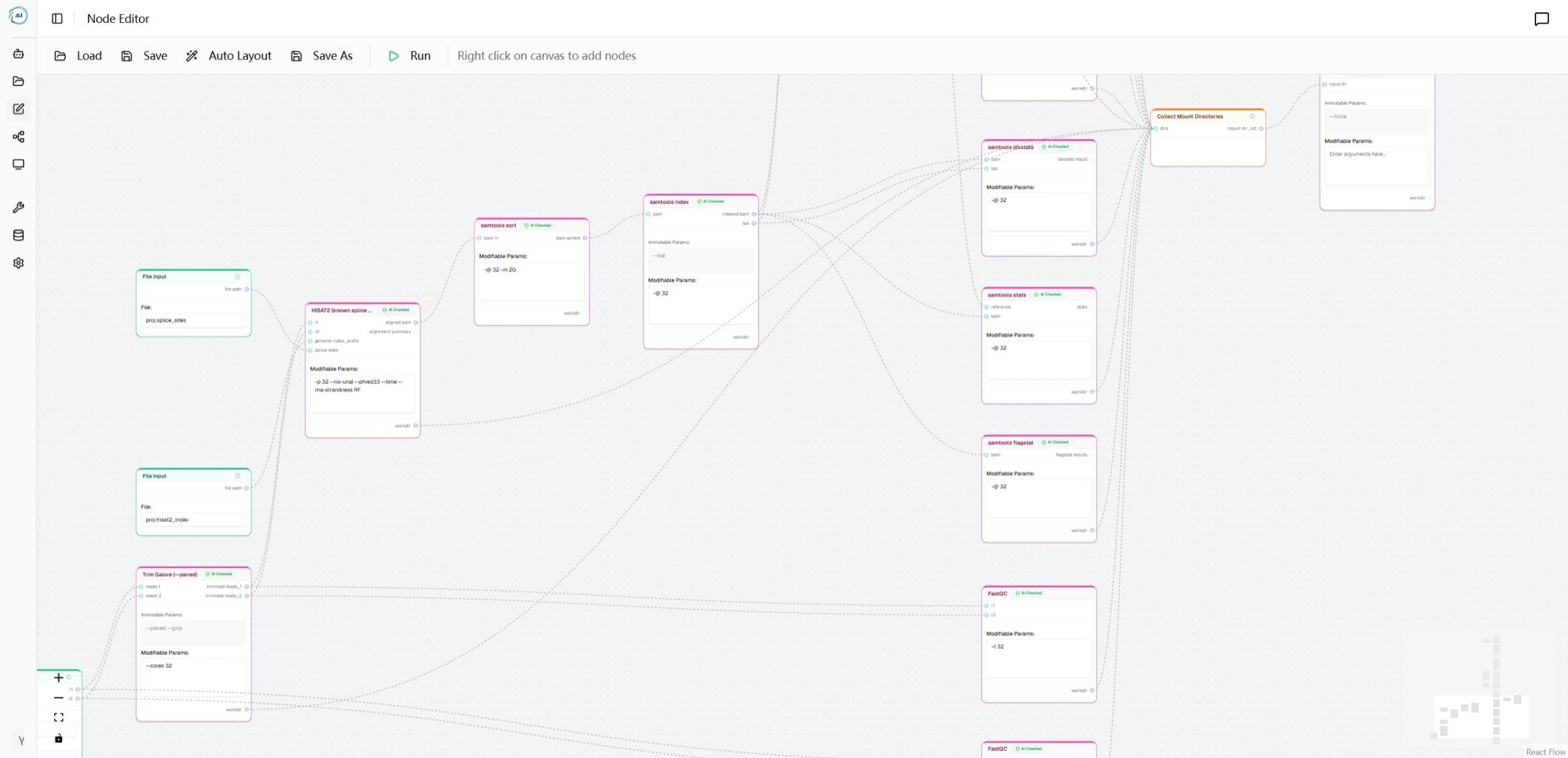
From intent to insight
Bring tools, data, parameters, and run status into one workspace, with less friction between setup and analysis.
Describe a research goal in natural language. AI helps plan steps, discover tools, and create an editable workflow.
Connect tools, data, and custom scripts on a canvas where dependencies and data flow stay easy to understand.
Run each tool in an isolated Docker or Podman container to avoid dependency conflicts and preserve execution history.
The product in action
Build workflows, follow sample runs, and inspect resource usage for every task in one platform.
Connect inputs, analysis tools, and downstream results on a canvas where complex dependencies remain easy to follow.
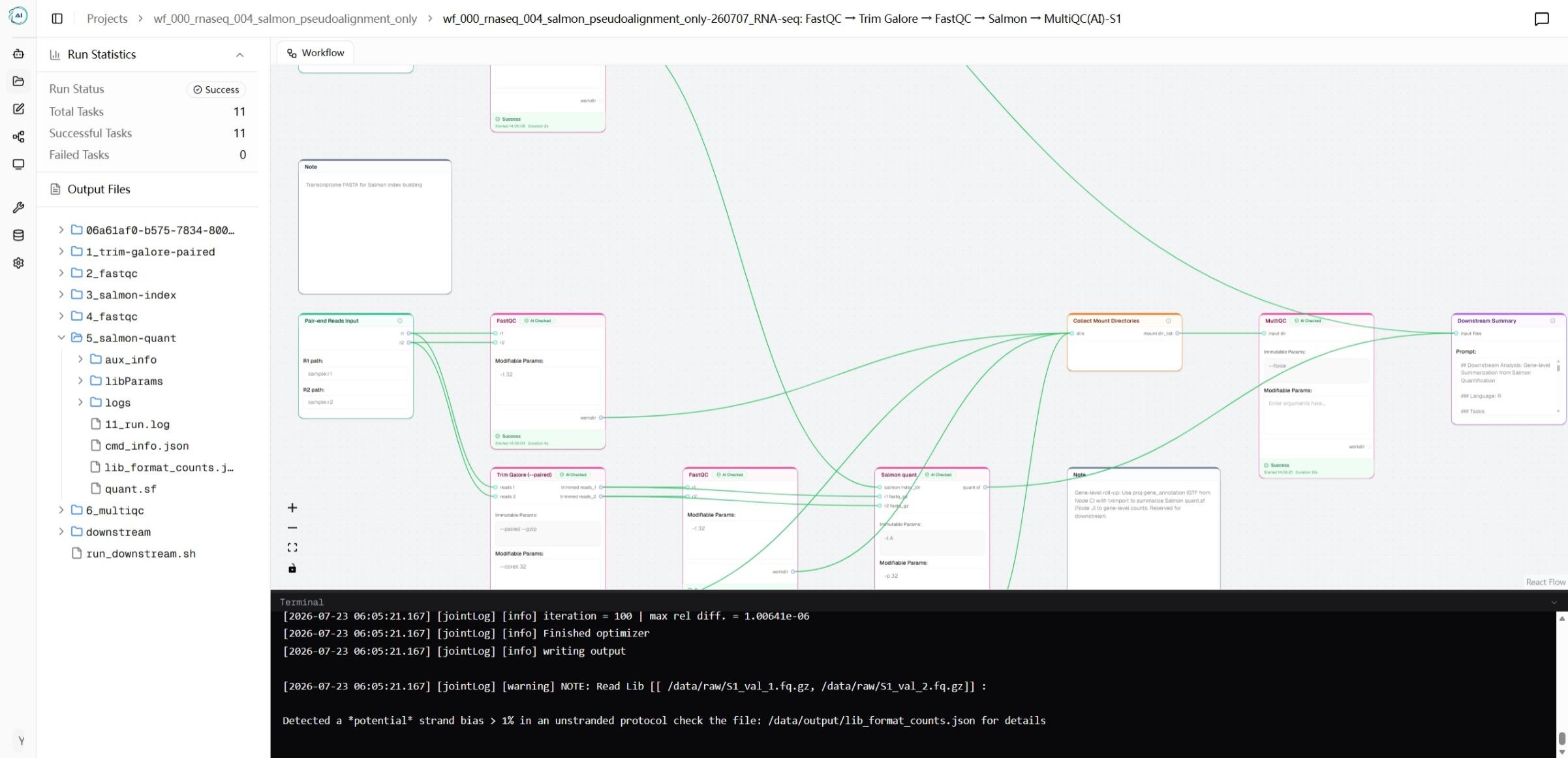
Inspect task status, output files, execution logs, and node-level results.
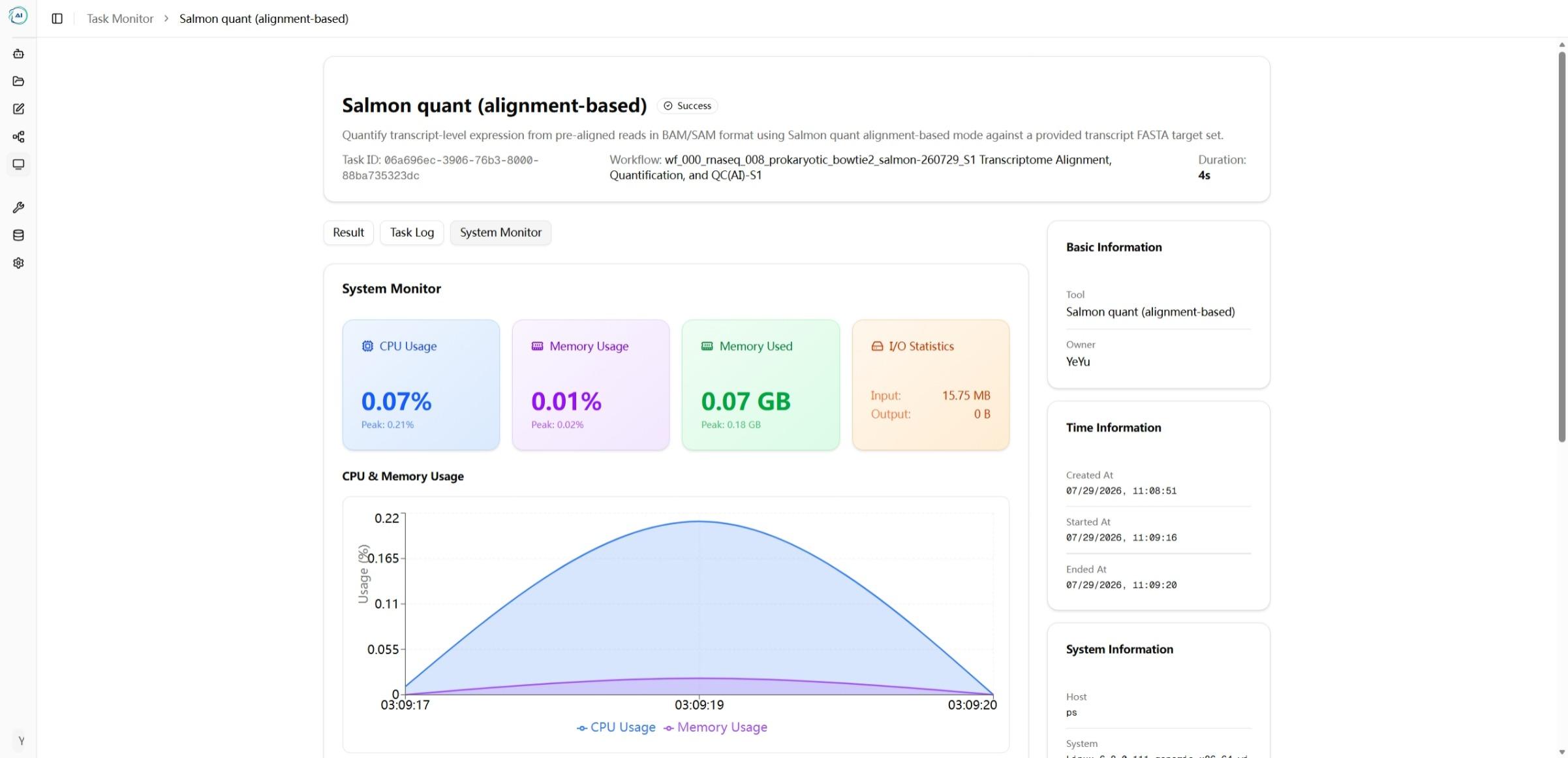
Review CPU, memory, and I/O usage to identify performance and execution issues quickly.
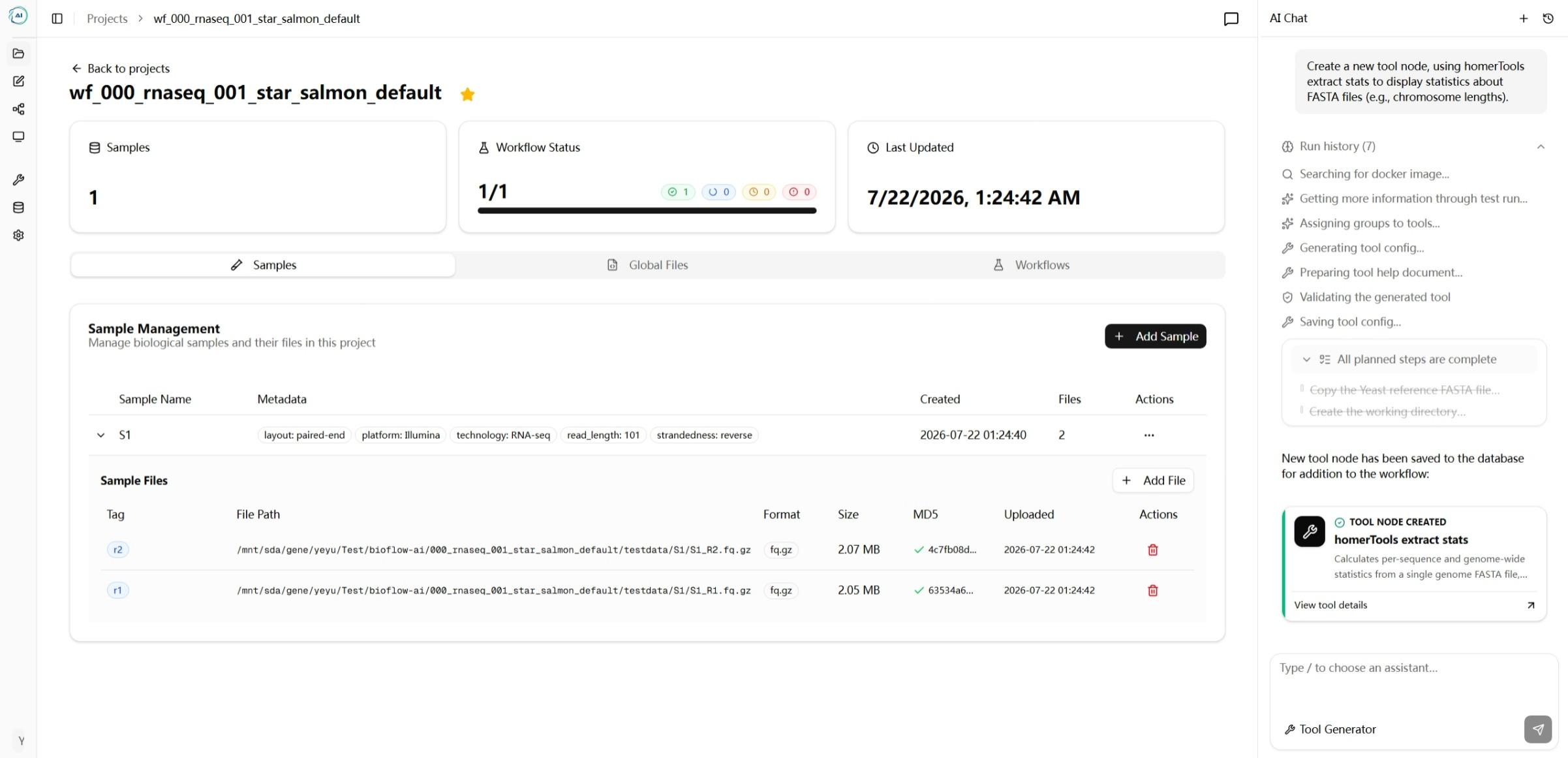
Start from a request inside the project, follow search, planning, configuration, and validation, then save a new tool node directly into the workflow.
How it works
Begin with a natural-language goal, a specific tool, or a paper method.
Review nodes, parameters, and data dependencies on the visual canvas.
Execute per sample and inspect live status, logs, and outputs.
Use the quick start to deploy BioFlowAI, or explore the docs for a deeper look at the platform.